AI Workers
Create reusable AI workers, assign work, and review files and proposed changes.
Open Agiled AI in the sidebar. Its three tabs separate conversations, assignments, and reusable workers:
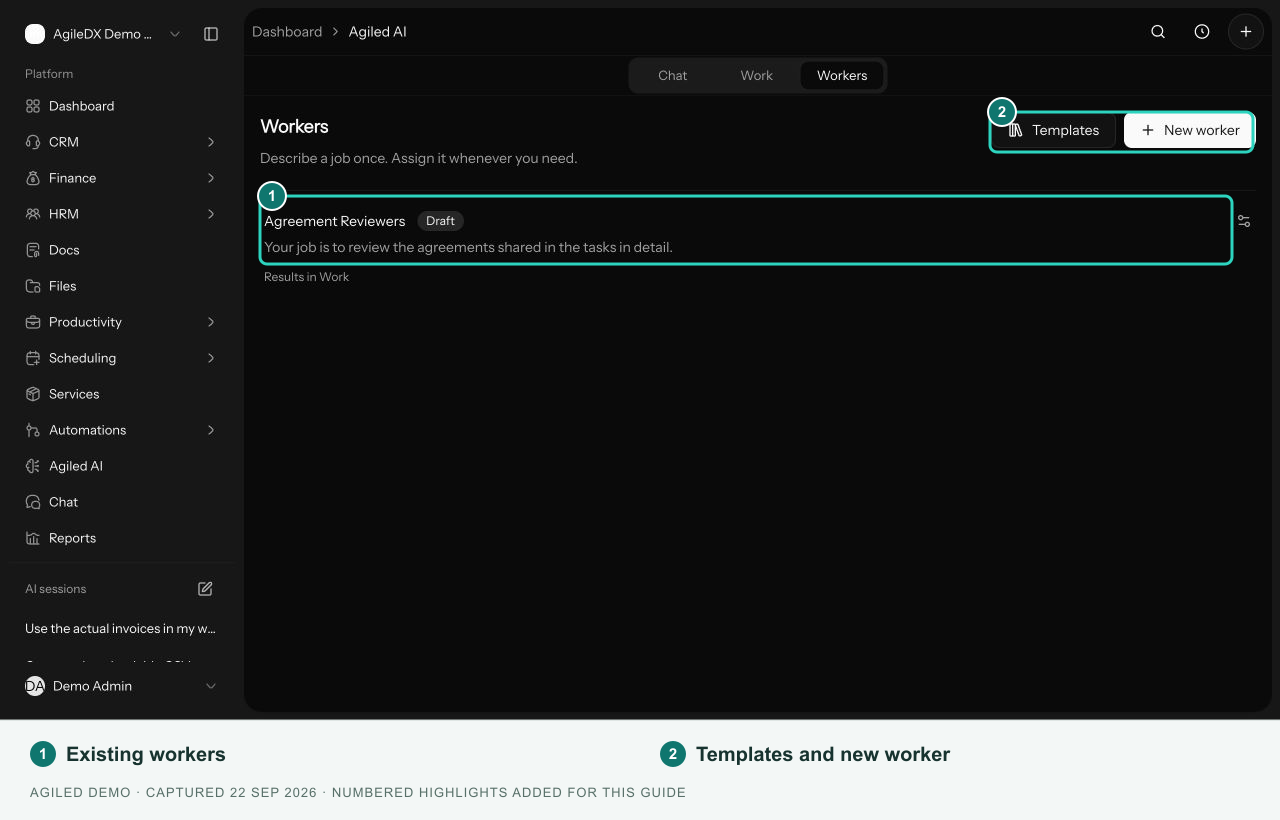
- Chat — ask a question, supply files, or describe work for Agiled AI.
- Work — review ongoing assignments, deliverables, proposed workspace changes, and finished results.
- Workers — create a specialist with reusable instructions and give it assignments.
Create and use a worker
- Open Agiled AI > Workers and select New worker.
- Describe its job and optionally give it a name.
- Open Advanced settings to review availability, workspace changes, and tools.
- Select Create worker.
- On the worker page, enter an assignment and optionally attach source files.
- Select Start work, then review the result in Work.
Creating a worker does not schedule recurring jobs. Ready for assignments means you can give it work; each assignment supplies the specific brief and files.
Review results
Open an item in Work to inspect its deliverables, worker summary, source files, and activity. Use Preview when offered or download the file. Request changes returns you to a conversation where you can explain the revision.
A result marked Ready for review still needs your review. Resolve pending workspace changes individually before selecting Accept work. Accepting the result does not approve proposed changes.
Access and availability
Your workspace's AI access, account permissions, and worker tool settings all apply. If assignments are unavailable, the worker page explains this. A paused or draft worker must be changed to Ready for assignments before its assignment composer is enabled.
Older task-linked worker runs remain visible in the worker's Runs section when present. File assignments appear in Work.