Review Worker Runs
Preview deliverables, review proposed changes, request revisions, and accept work.
Open Agiled AI > Work and choose an assignment. Review both the deliverable and any proposed workspace changes before accepting it.
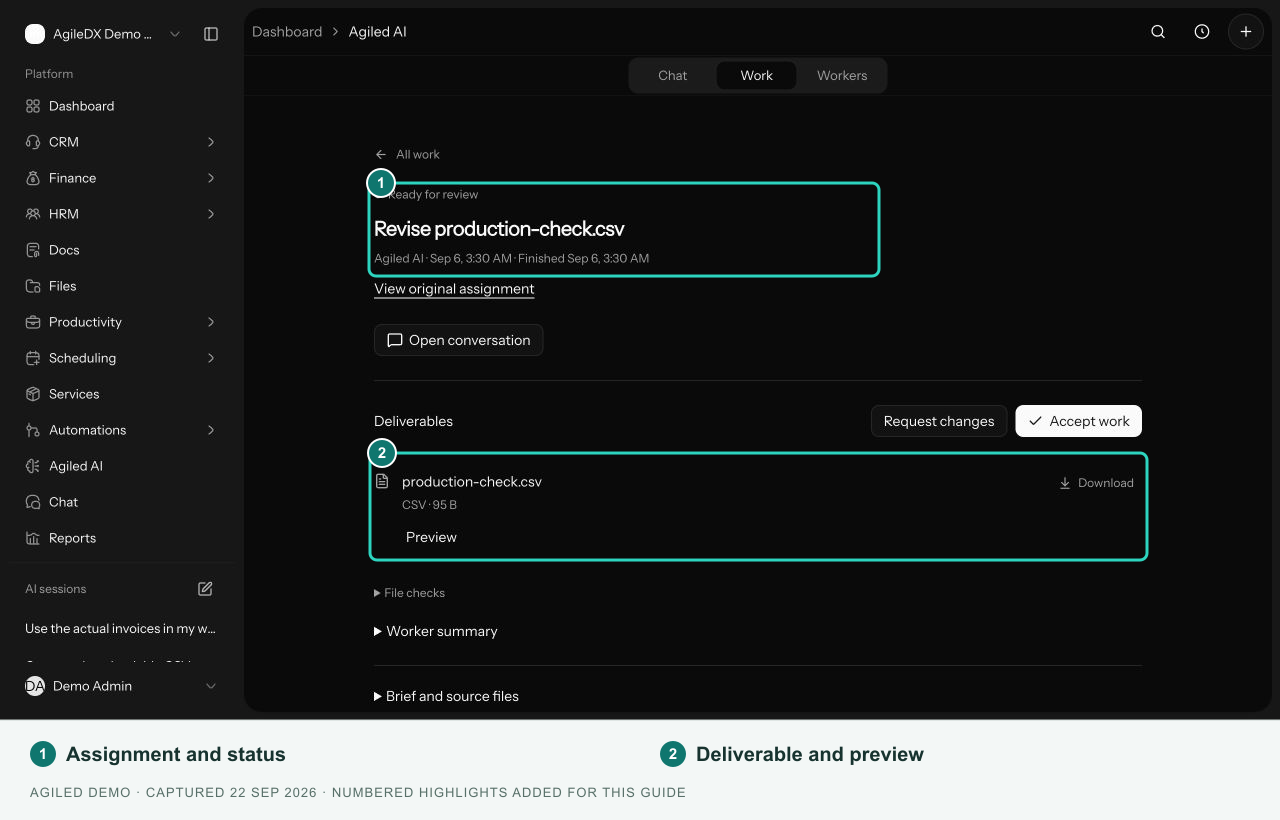
Review the deliverables
- Confirm the assignment title, worker, and brief.
- Open Preview when available, or download the result.
- Inspect File checks and Worker summary when shown.
- Expand Brief and source files and Activity to understand the inputs and progress.
- Compare important dates, amounts, names, and conclusions with the source records.
File checks describe checks performed on the file; they do not establish that every business fact is correct.
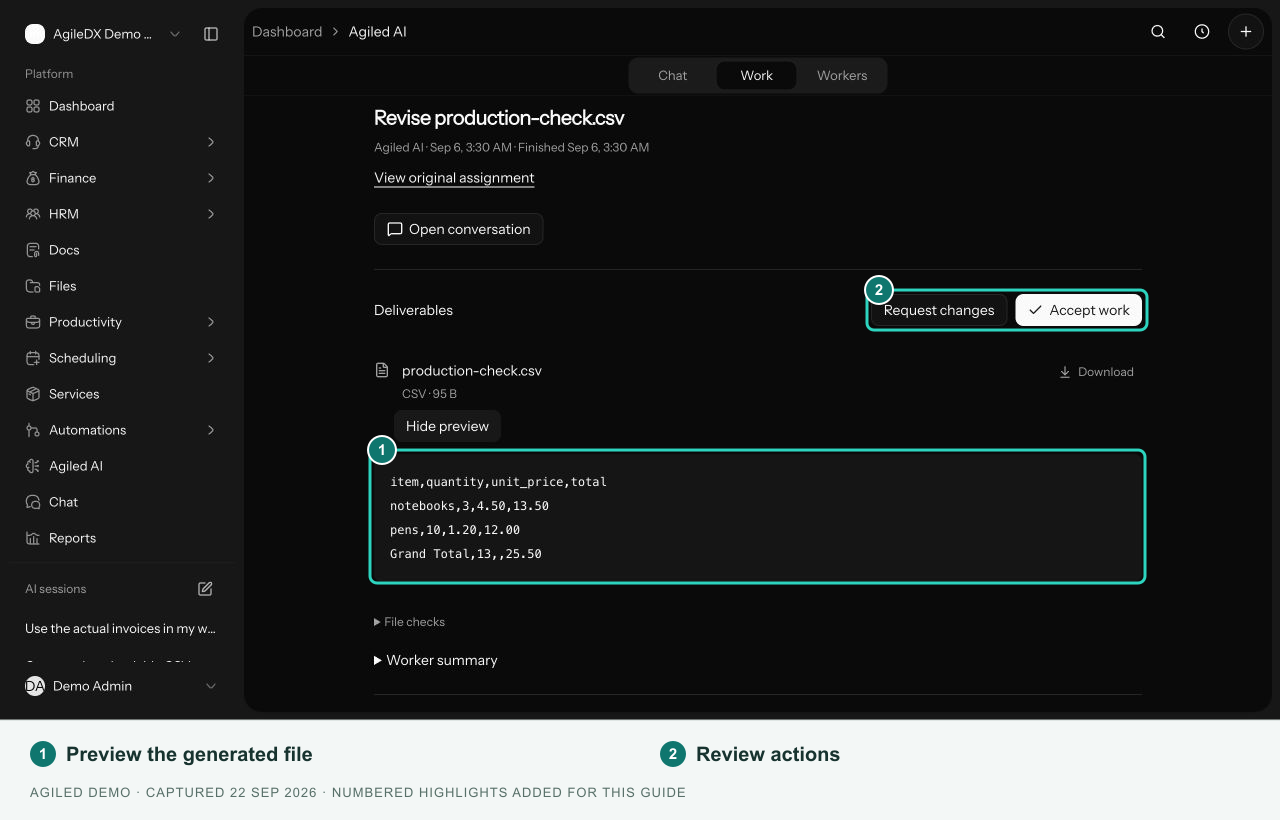
This example shows an existing result opened for review. Previewing the file does not accept the work or approve workspace changes.
Review workspace changes
Under Workspace changes, expand the proposed action's details. Select Approve change to execute an action you have reviewed, or Reject to decline it. Check the resulting status and open the result link when provided.
Approving an action and accepting the assignment are separate decisions. Accept work is disabled while actions still need review. Accepting the result does not approve those actions automatically.
Request changes
Select Request changes or Open conversation to continue in chat. Explain the correction and identify the file or source record involved. The assignment may link to an original assignment when it is a revision.
For a failed or cancelled assignment, Retry with changes opens the conversation so you can correct the brief before requesting another attempt. Read the error and check any actions already completed first.
Accept or cancel
Use Accept work once a result marked Ready for review meets the brief and all proposed changes have a decision. The status becomes Accepted.
For queued or working assignments, use Cancel assignment if the work should stop. Cancellation does not undo workspace changes that already completed.