Retainers, hour banks and session packs
Track the hours or sessions included for a client, get warned before they run out, and show the client what's left.
A retainer, hour bank or session pack records what your agreement with a client includes, so you can see what has been used and what is left before you go over. Use one for a monthly support retainer, a block of prepaid hours or a pack of coaching sessions.
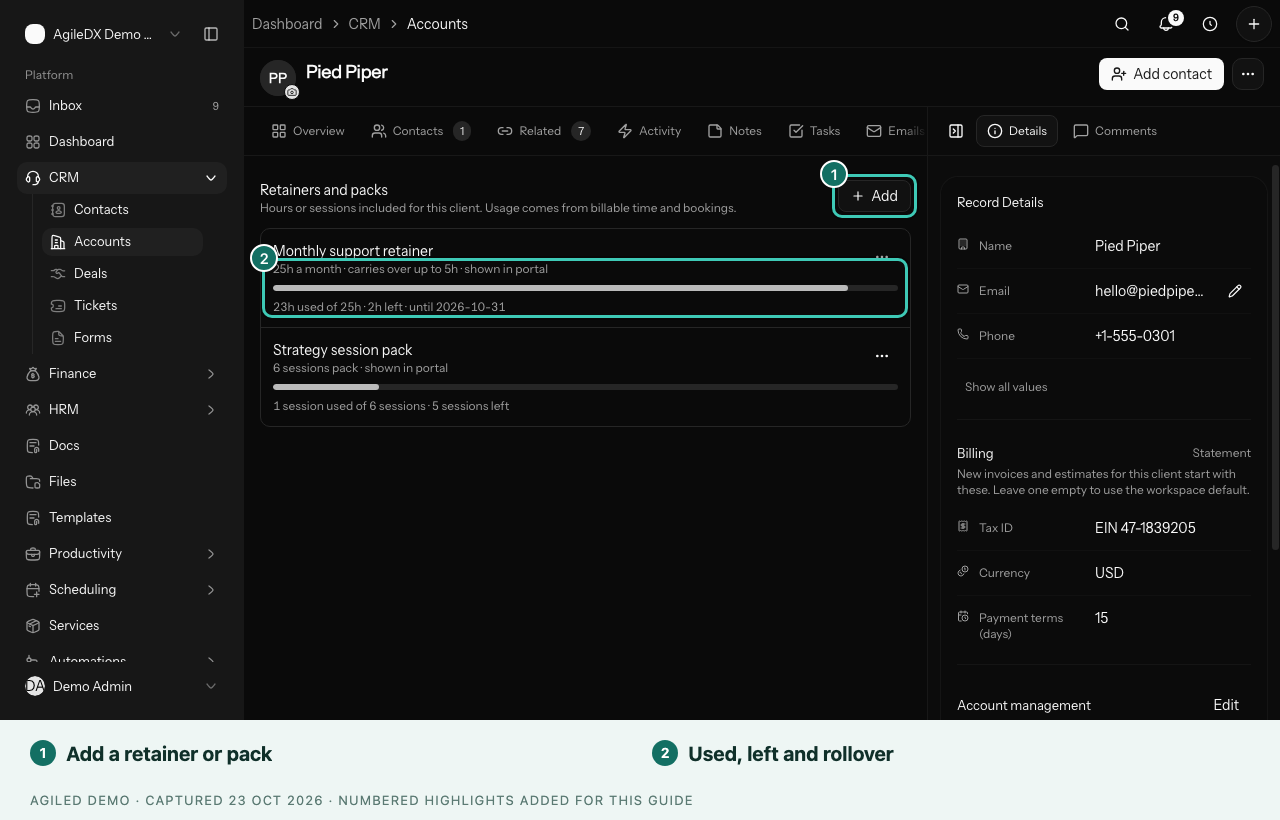
Add a retainer or pack
- Open the client in CRM › Accounts and choose the Retainers tab.
- Choose Add and give it a name, such as "Monthly retainer" or "10-session coaching pack".
- Choose what it counts:
- Billable hours: billable time on the client's projects (or one project you pick) and on their tickets.
- Booked sessions: bookings made by the client's contacts, for any event type or one you pick. A canceled booking gives the session back.
- Enter the amount and choose Per: Month, Quarter, or Pack (no reset).
- Set when it Starts, and when it Ends if it has an end date.
- For monthly and quarterly amounts, choose what happens under Unused at period end: Expires, Carries over, up to a limit, or Carries over.
- Turn on Show in the client portal if the client should see it.
- Choose Save.
You're done when the retainer shows what is used and left, for example 23h used of 25h · 2h left, with the date the period ends.
Alerts
Agiled tells the person who set up the retainer, the client's owner and the project owner when usage passes 80%, and again at 100%. Each alert is sent once per period.
What the client sees
With Show in the client portal on, the client gets Hours & sessions in their portal: each retainer or pack with what's used, what's left and when it resets. They don't see the time entries or bookings behind it.
Good to know
- Once a retainer has started counting, you can't change how often it resets. Add a new one and end the old one.
- Show in the client portal is off until you turn it on.
- To add tasks on a schedule, such as a monthly report, use Recurring work on the project. See Recurring task patterns.