Work on a ticket
Reply to the client, keep team notes, update status and priority, and log the time you spend.
The ticket page is where you answer a client request: reply to them, leave notes for your team, track the time and close it when it is done.
Reply to the client or leave a note
- Open CRM › Tickets and select the ticket.
- To answer the client, write in Replies, attach files if needed and select Send reply.
- For your team only, write in Notes. Clients never see notes and are not notified.
You're done when your reply shows in Replies and the client receives an "Update on your ticket" email with a View Ticket link to their portal.
Keep status and priority current
Use Edit ticket, or the Details tab on the right, to change them.
| Status | Means |
|---|---|
| Open | Needs action from your team |
| Pending | Waiting on someone else, such as the client |
| Resolved | The answer or fix is done |
| Closed | No more action expected |
Priorities are Low, Medium, High and Urgent. Keep Urgent for real emergencies.
Log time on a ticket
- In the panel on the right, select the Time tab.
- Select Start timer while you work and Stop timer when you finish, or select Log time, enter the hours and minutes, and select Save time.
- Leave Billable to the client on for time you will charge for.
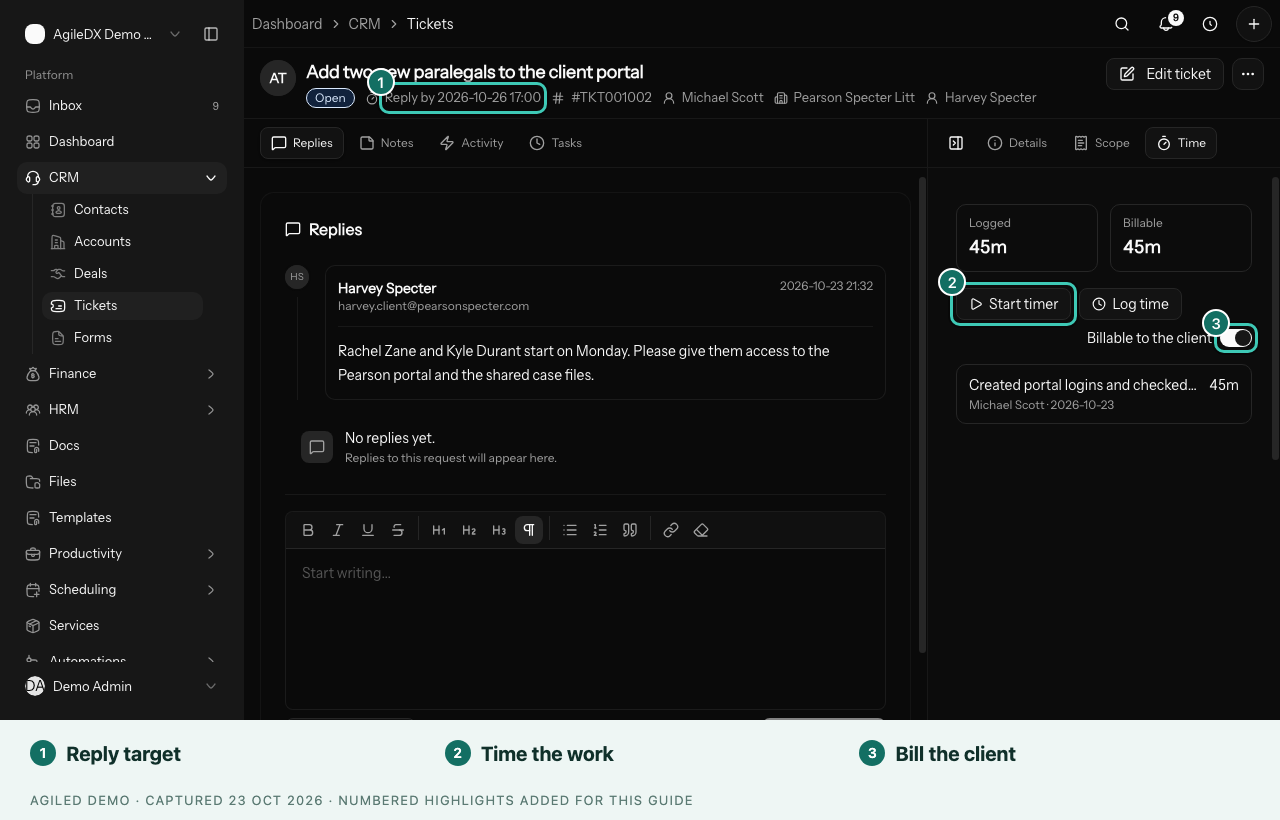
You're done when the time shows under Logged and Billable. Billable ticket time appears in the client's unbilled time on invoices and counts against their retainer.
Price extra work
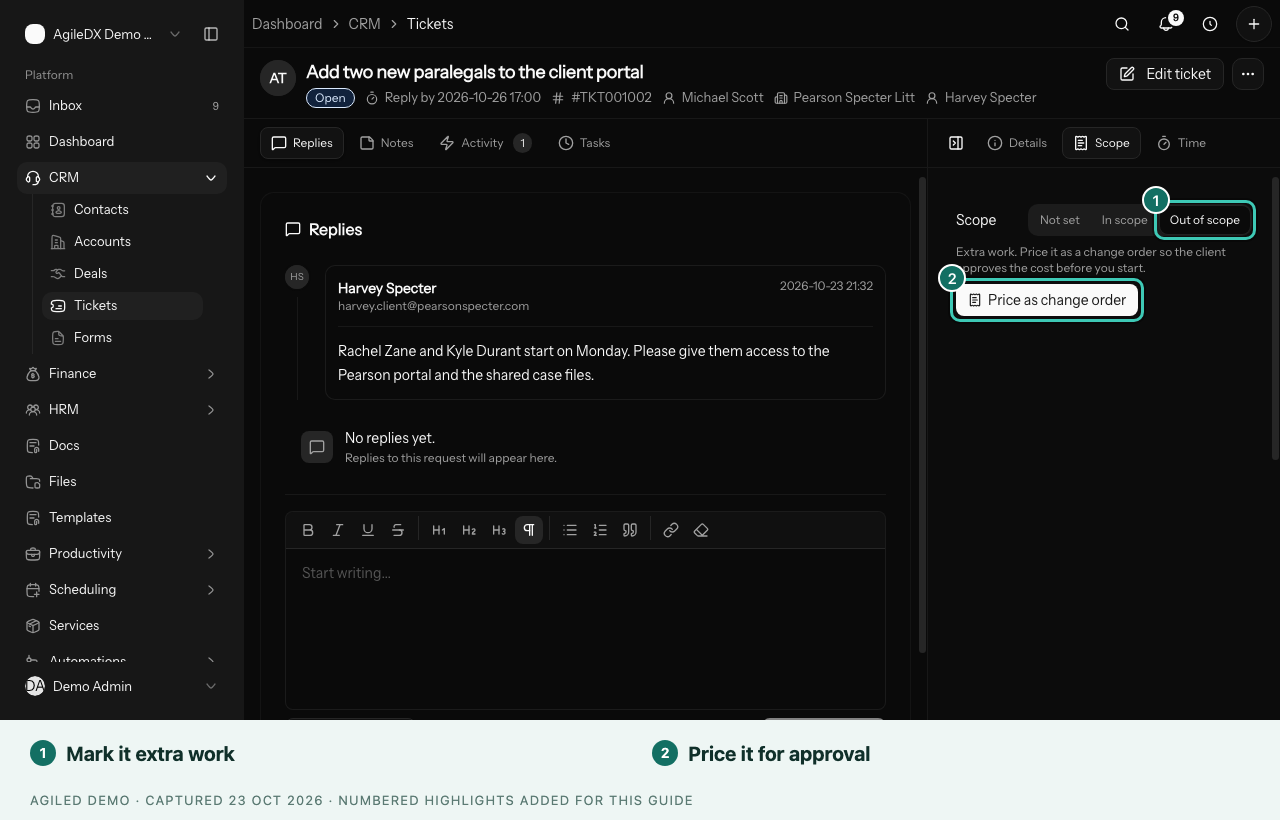
If the request is outside the agreed work, open the Scope tab, choose Out of scope and select Price as change order, so the client approves the cost first. See Change orders.
Good to know
- Time on a ticket with a project is filed under that project at its rate. Without one, it uses your Default hourly rate in Settings › Productivity.
- If Log time is missing, turn on Allow manual time entries in Settings › Productivity.
- If you see Ticket unavailable, it was deleted or you don't have access.
- When you hand a ticket over, add a note with what you did and what comes next.