Knowledge Base
Wiki Pages and Docs
Use the current Docs destination for existing articles.
The former Wiki address now opens Docs. Use the Documents list to locate existing articles; there is no separate Wiki card grid at that address.
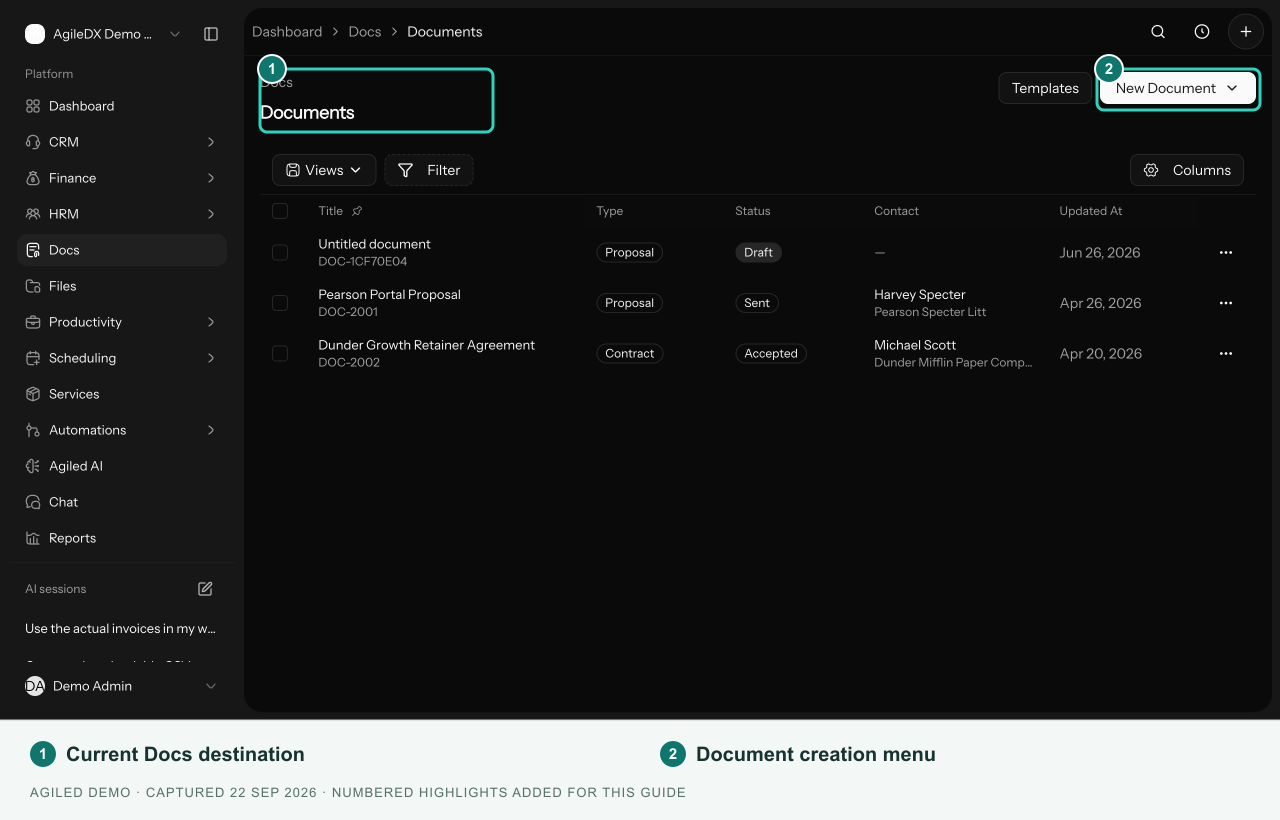
The Documents table shows title, type, status, contact, and update information. Check your active workspace and the available list filters when looking for an article.
The current New Document > New Article entry creates an untitled article and returns to the list. The older standalone wiki editing workflow is not available at the former Wiki address.
Use article troubleshooting if a record cannot be opened or edited. Avoid creating repeated blank articles while investigating.