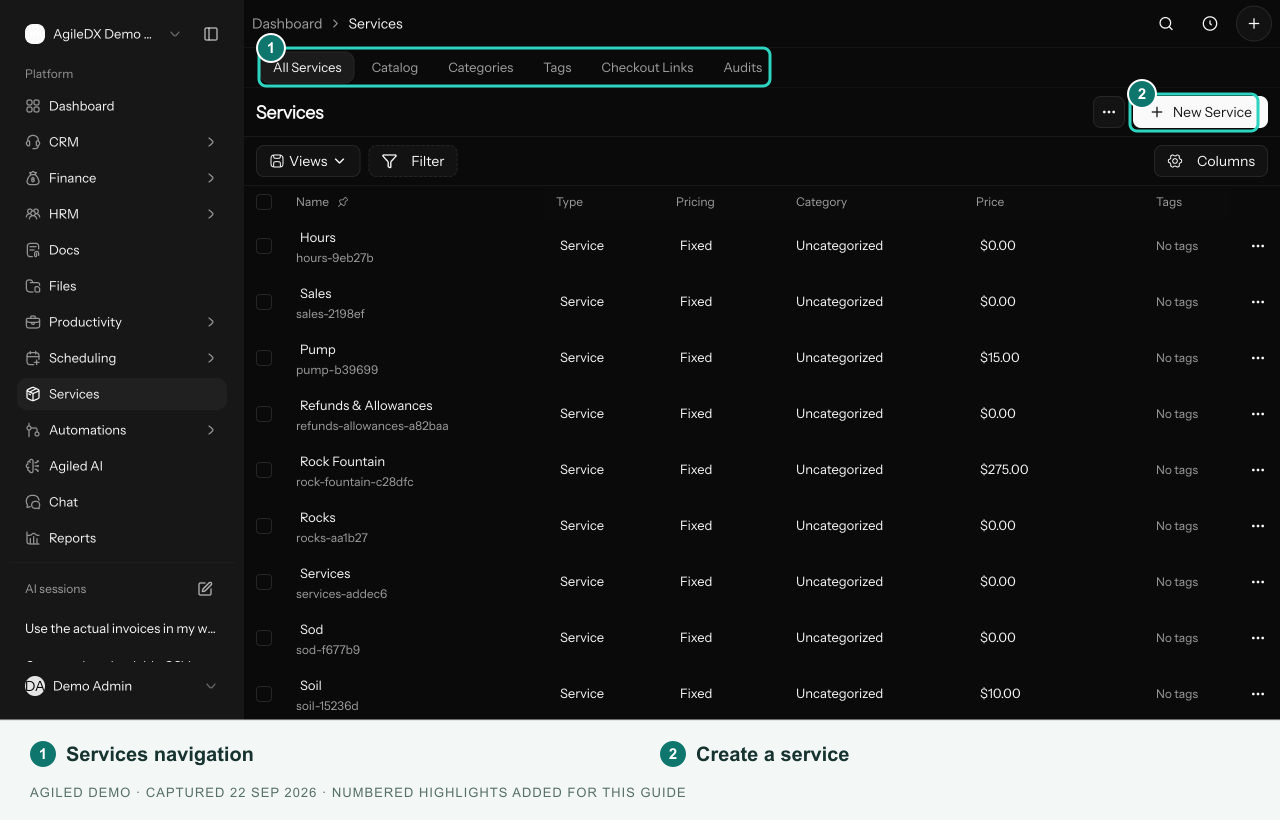
Service List
Find, create, and organize reusable services.
Open Services > All Services to manage the reusable services used in your workspace. The table shows name, type, pricing mode, category, price, tags, status, and updated date.
The Catalog tab is a separate area for public catalog settings; it is not the list where you create and edit individual services.
Create and Edit
Select New Service, enter name, price, and currency, then select Continue. Agiled creates the record and opens the full service setup page.
Select a service name to open its details. Use the Details, Pricing, Media, and Settings tabs, then Save your changes. Review the usage panel before changing an item already used in invoices or estimates.
Organize the List
Use Views, Filter, Columns, and column menus to narrow and arrange the table. Categories and tags have their own tabs under Services.
Use row actions to archive or delete a service. Archiving preserves the record while removing it from active lists. Review existing customer documents and checkout links separately after changing or archiving a service.
Public Checkout
Each saved service has a checkout path and a Copy checkout link action. Open that link to check the price, description, available methods, and intake form before sharing it with customers.