Create a Service
Create a service, complete its setup, and copy its checkout link.
Create reusable services from Services > All Services. For a one-off charge, you can add a line directly to an invoice instead.
Create a Service
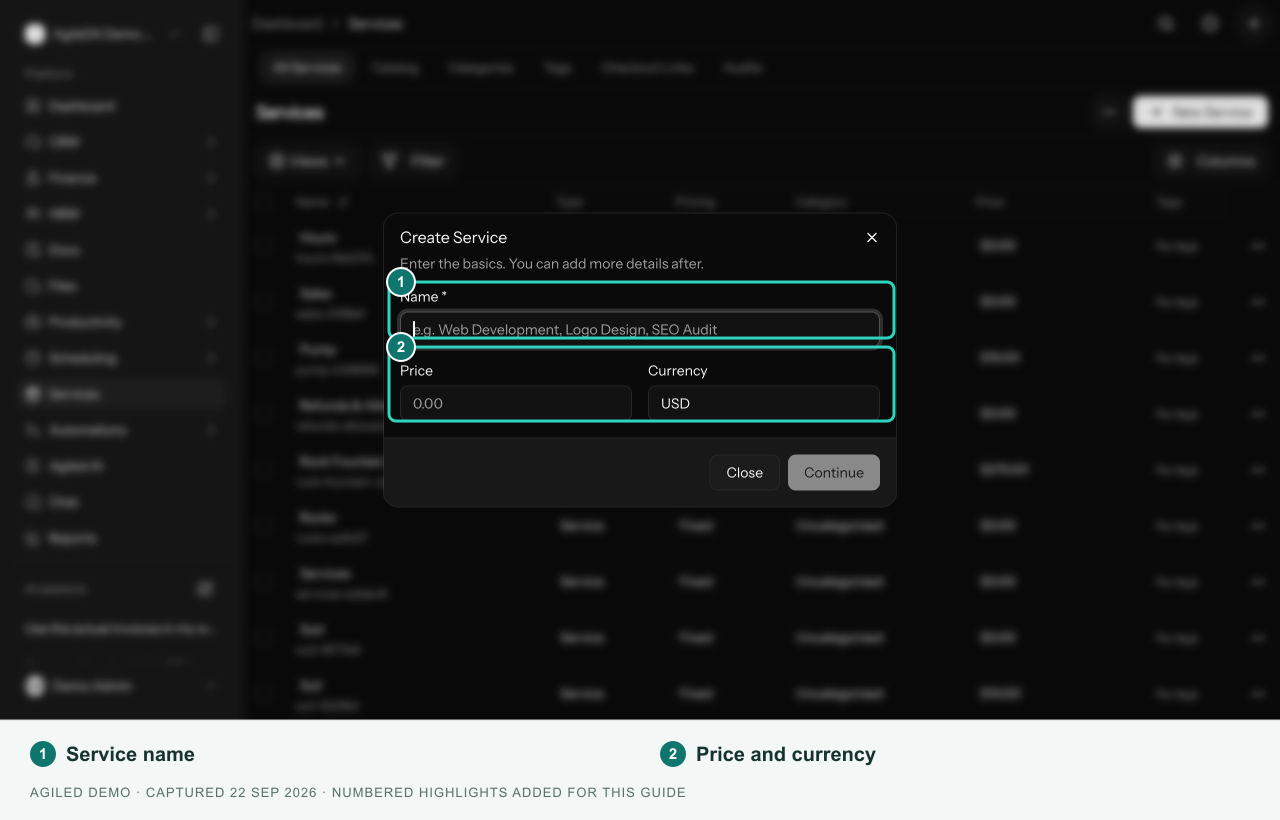
- Select New Service.
- Enter the Name, Price, and Currency in Create Service.
- Select Continue. This creates the service and opens its setup page.
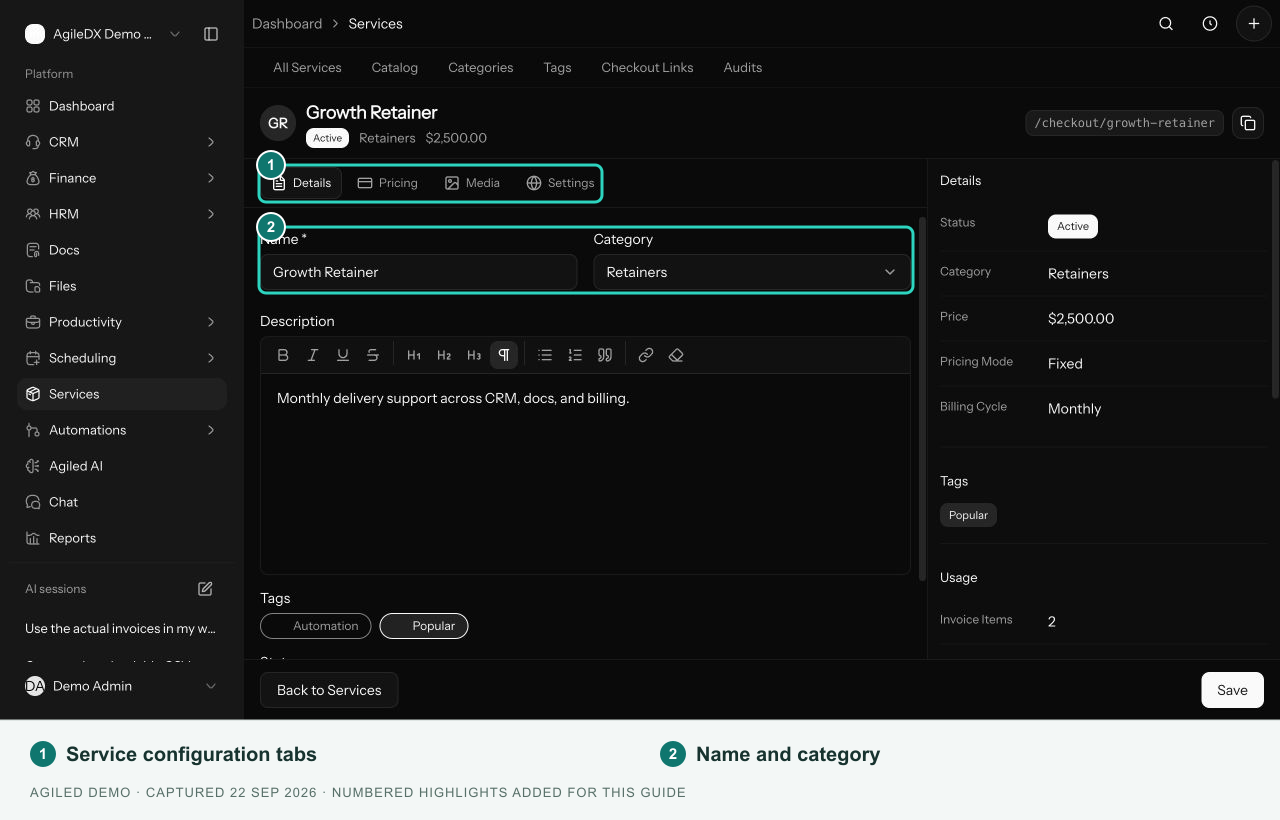
- Complete the relevant tabs, then select Save.
The first dialog creates a service. It does not ask for SKU, product type, tax, images, or a pricing-tiers JSON value.
Complete the Setup
- Details: name, category, rich-text description, tags, and status.
- Pricing: price, currency, pricing mode, recurring billing cycle, and plan tiers.
- Media: cover and gallery image uploads.
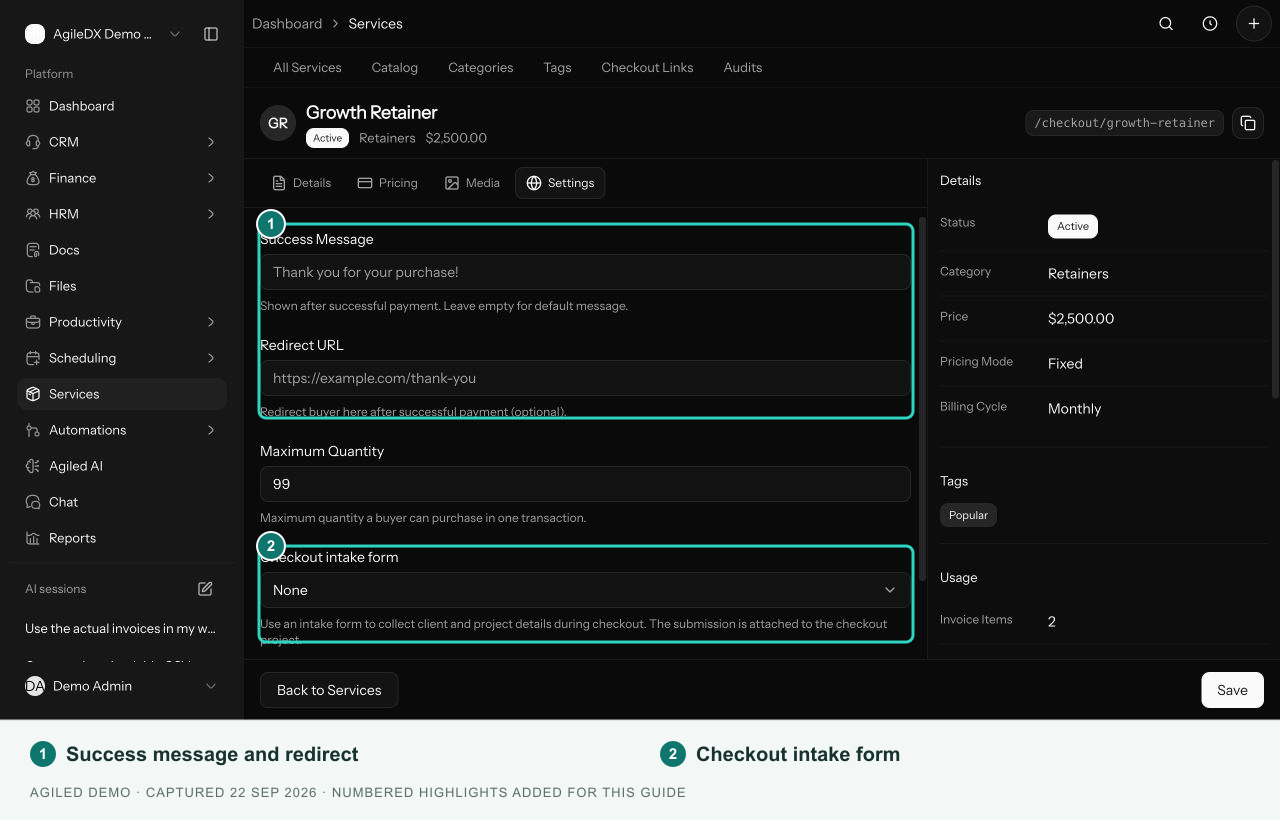
- Settings: checkout success message, redirect, maximum quantity, intake form, and whether payment should create a project.
An Attributes tab appears when editable custom fields are configured. The side panel shows current details, usage, analytics, and activity.
Share a Service Checkout
Use Copy checkout link beside the service's checkout path. Open the copied link and review the offer before sharing it. Confirm payment methods in finance settings and check the service's status, price, currency, and checkout settings.
A direct service checkout is separate from the standalone records in Services > Checkout Links. See checkout availability before using those records.