Guides
Win clients with a call and a proposal
For agencies, consultants and freelancers who meet a lead, send a proposal, then start the work.
This guide is for you if a new client usually goes: enquiry → discovery call → proposal → yes → project. That covers most agencies, consultants, designers, developers and marketers, solo or with a team.
By the end, your first lead can book a call, receive your proposal, sign and pay a deposit, and you'll have a project ready to start.
What guided setup already made
If you chose Consultation, proposal, then approval in guided setup, you already have:
- a Deals pipeline with stages such as Discovery call and Proposal sent;
- a Book a Discovery Call booking page that takes bookings now;
- a lead form, your services, and proposal and contract drafts.
You'll make those your own and put them to work.
Steps
- Make your drafts sound like you. Open Docs, open the proposal and contract drafts, and edit the wording and prices. Open Services and check each price.
- Let leads book a call. Connect your calendar in Settings › Apps so no one books over busy times. Then open Scheduling › Booking Pages, select Share and put the link on your website and email signature. See Create a booking page.
- Keep each lead as a deal. Open CRM › Deals and add the lead, or let bookings do it: on the event type's Advanced tab, turn on Create lead. Move the deal along as you talk.
- Send your proposal. The smoothest way is a Smart Flow with the purpose Win a client: one link where your client reads the proposal, signs the contract and pays the deposit, in that order. Prefer a single document? Send it from Docs instead. See Send a document for signing.
- Mark the deal won. When your client signs, open the deal and select Won.
- Start the project. Open Productivity › Projects, create a project for the client and add the first task, such as Kickoff call.
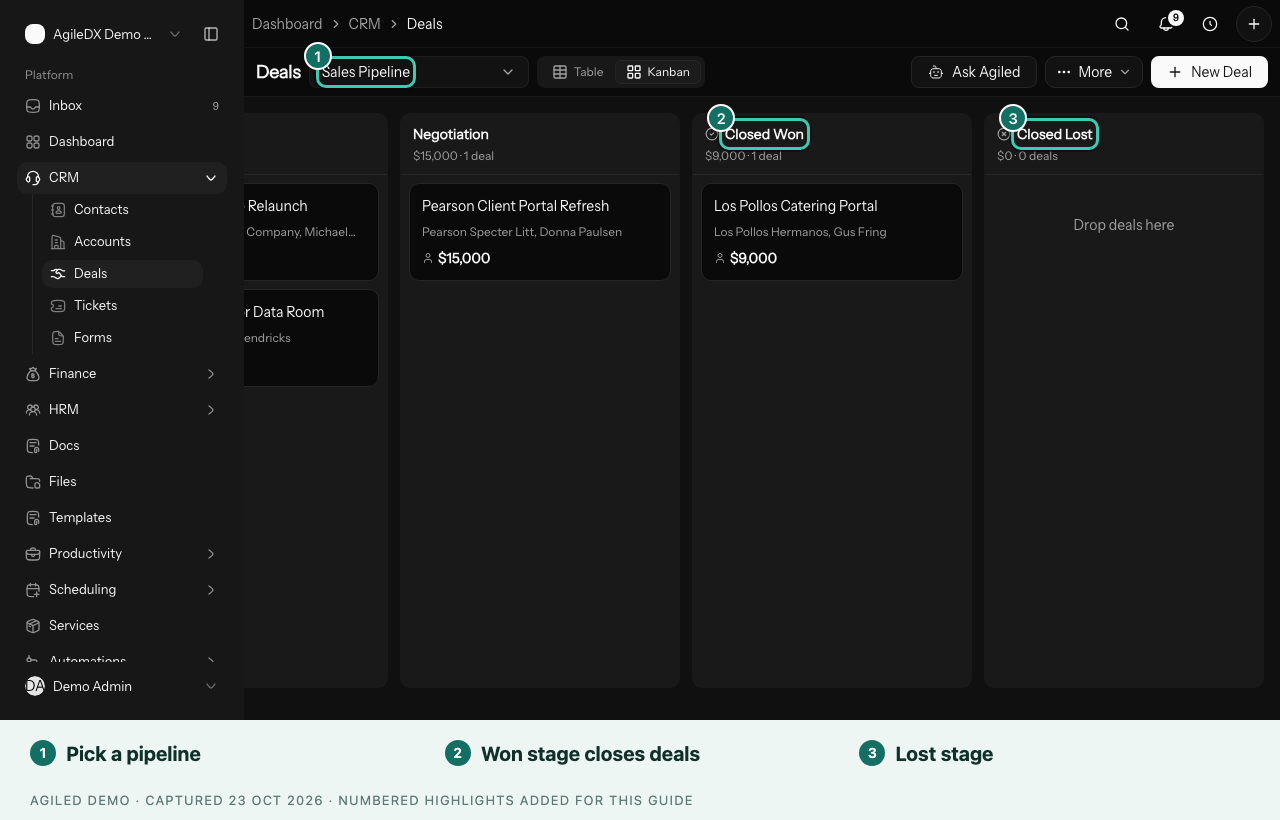
You're done when a client has signed and paid their deposit, the deal shows Won, and their project has a first task with a due date.
Good to know
- Test it on yourself first. Book your own call and open your proposal in a private window. See Before you share with clients.
- No card payments yet? Clients can pay by bank transfer. See Get paid.
- Working with a team? Invite them once your first client is through. Freelancers you hire get the Contractor role, which only shows project work.
When this is working
- Welcome new clients with an onboarding Smart Flow that collects their files and answers.
- Follow up automatically when a lead fills in your form.
- Run monthly retainer clients if you also sell retainers.