Guides
Get booked and paid for sessions
For coaches, therapists, trainers, photographers and tutors whose clients book a time and pay.
This guide is for you if clients mostly pick a time, pay, and turn up. That covers coaches, therapists, trainers, photographers, tutors and anyone who sells sessions.
By the end, clients can find your booking link, pay when they book, and get reminders, and you can see every appointment in one place.
What guided setup already made
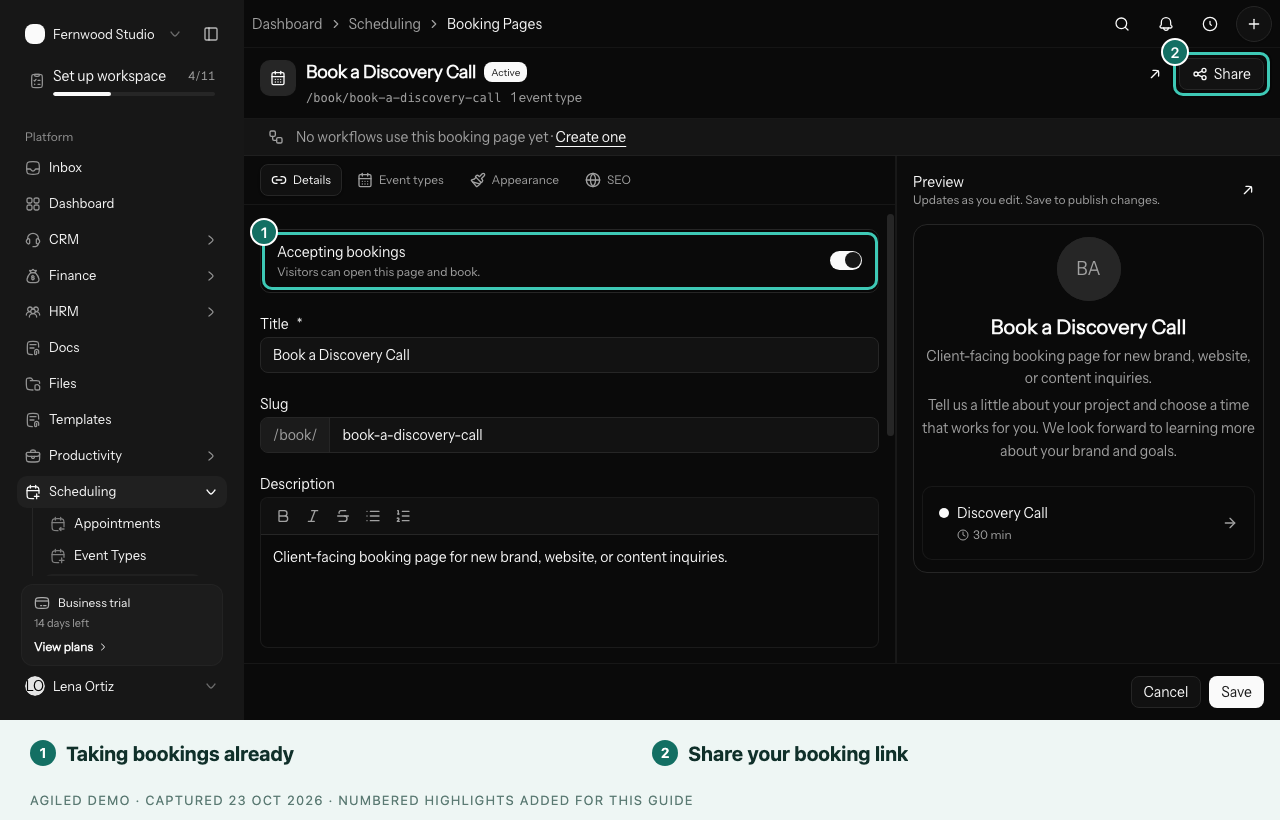
If you chose Clients book directly or Appointments or sessions in guided setup, you already have a booking page that takes bookings now, plus your services.
Steps
- Set your hours. Open Scheduling › Availability and set the days and times clients can book you.
- Connect your calendar. Open Settings › Apps and connect Google, Outlook or Apple Calendar, so clients can't book over your other plans.
- Set up each kind of session. Open Scheduling › Event Types and check the length, location and price of each session, such as a 60-minute coaching call.
- Take payment when people book. Connect an online payment provider such as Stripe in Settings › Finance. Then, on the event type's Event details tab, turn on Paid and enter the price.
- Share your link. Open Scheduling › Booking Pages, select Share, and add the link to your website, Instagram bio and email signature.
- Book yourself once. Open the link in a private browser window and book a test session, so you see exactly what clients see.
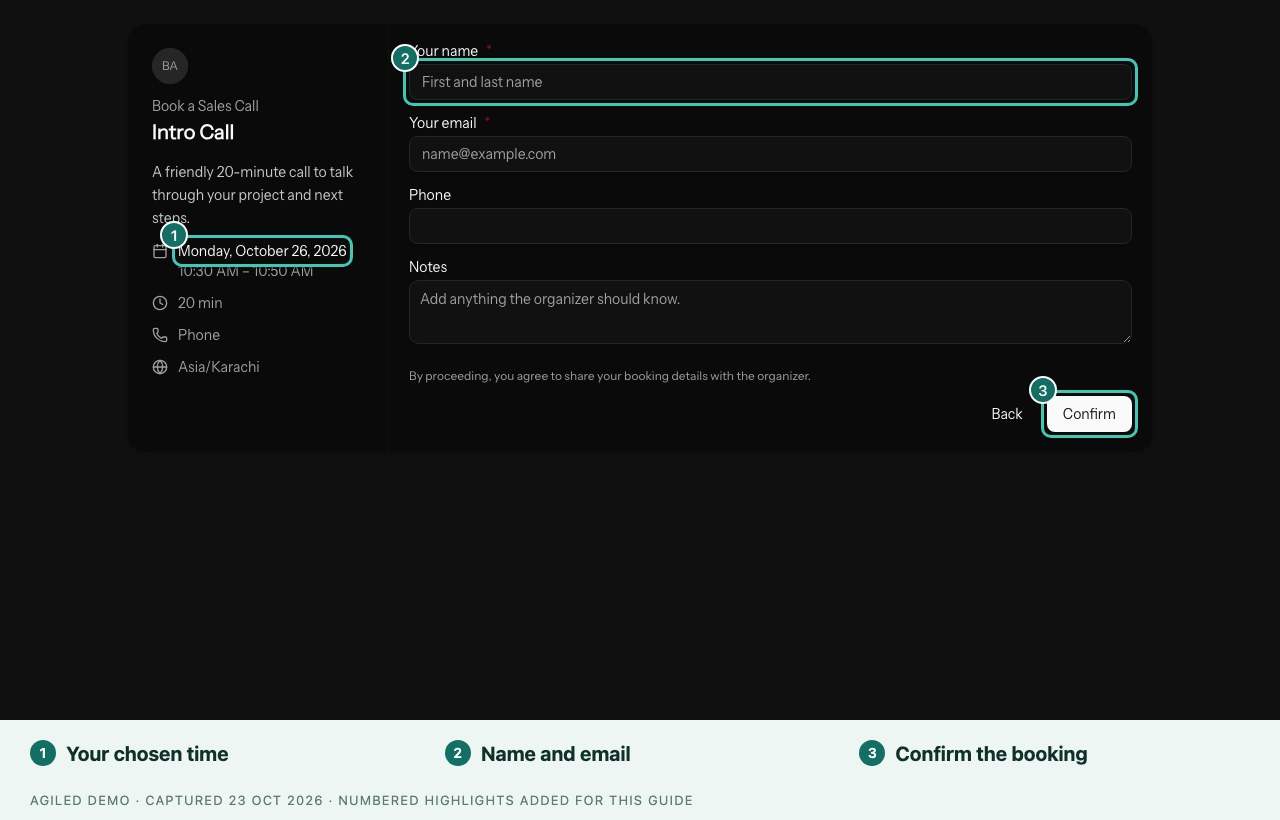
You're done when your test booking appears in Scheduling › Appointments and on your calendar, and the confirmation email reached you.
Good to know
- No times showing? Check your hours in Availability and that your calendar isn't fully busy. See Booking page shows no times.
- Clients can reschedule or cancel from their confirmation email, so you don't need to handle every change by hand.
- Sell packs of sessions? Record a session pack on the client's account in CRM › Accounts, on the Retainers tab, to see how many sessions are left.
When this is working
- Record whether clients turned up to see your real show-up rate.
- Ask new clients questions before their first session with an onboarding Smart Flow.
- Bill regular clients every month.