Client Billing Details
Save each client's tax ID, currency and payment terms, and bill individual people without a company account.
Every client bills a little differently. One pays in euros, another needs their VAT number on every invoice, a third always pays in 45 days. Save these details once on the client, and every new estimate and invoice for them starts with the right settings.
Set a Client's Billing Defaults
- Open CRM > Accounts and select the client.
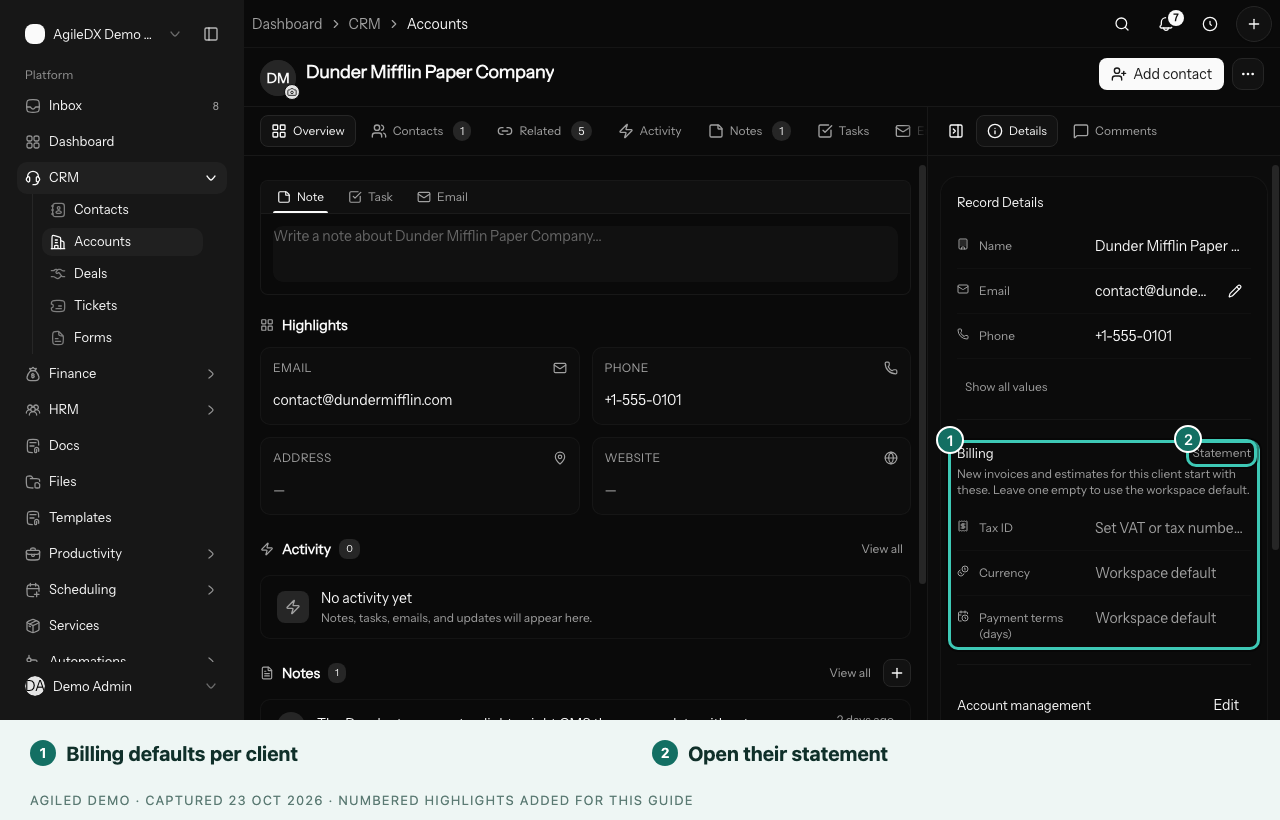
- In the side panel, find the Billing section.
- Fill in what applies to this client:
- Tax ID: their VAT or tax number.
- Currency: the currency you bill them in.
- Payment terms (days): how many days they have to pay.
- Leave a field empty to use your workspace default.
When you choose this client on a new estimate or invoice:
- the currency is set to the client's currency;
- the due date follows the client's payment terms;
- the tax ID prints under Bill To, shown as "Tax ID: …".
You can still change the currency or due date on any single document.
Bill a Person Without a Company
Not every client is a business. You can send estimates and invoices to a homeowner, a couple or a freelancer without creating a company account first.
- Create an estimate or invoice.
- Next to Contact, select New contact.
- Enter the person's first name, last name and email.
- Select Add contact.
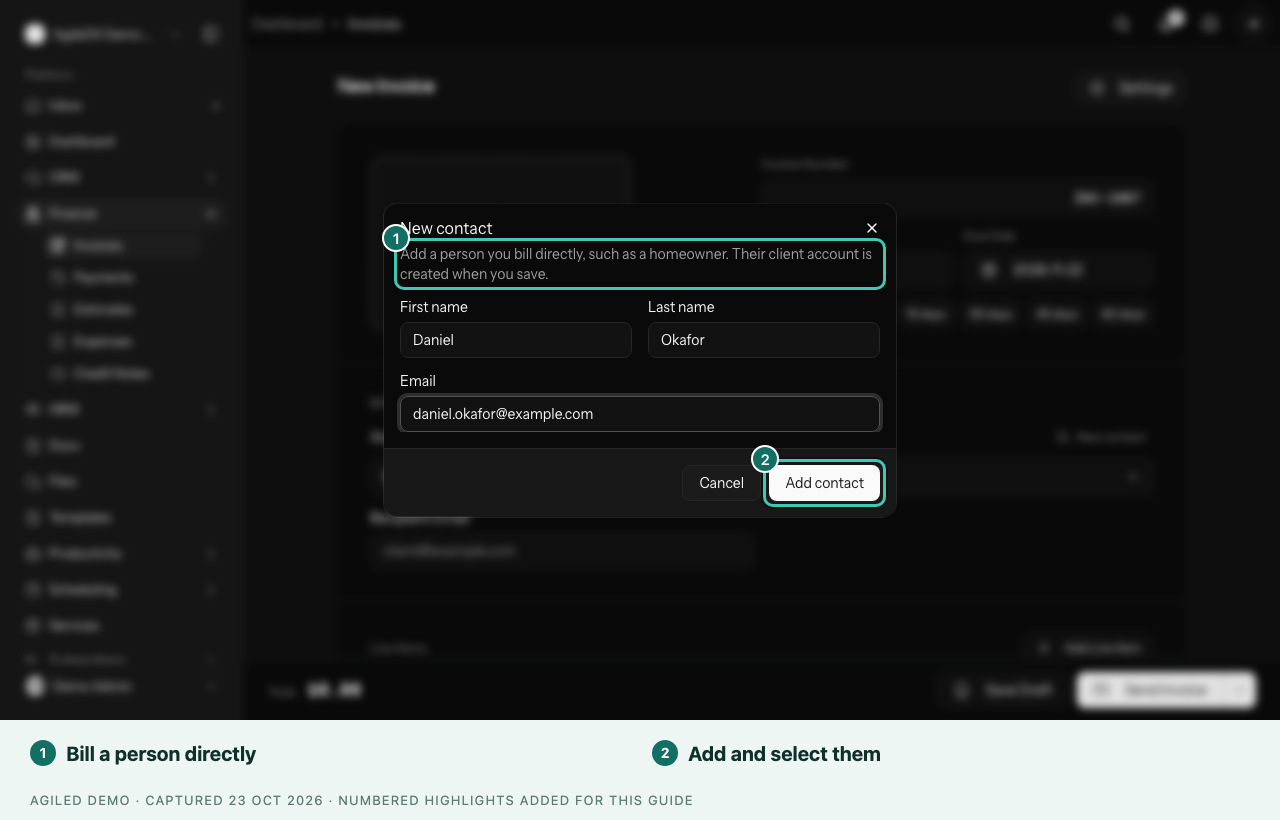
The person is selected on the document right away, and their client record is created for you. You can also choose an existing contact without choosing an account.
Check the Recipient Email
The Recipient Email field fills in from the contact you choose. Change it if this document should go to a different address, such as a billing inbox. The estimate or invoice is sent to that address.
If you change a saved document to a different contact, the document bills that contact from then on.